
What is CRM, and why does it matter for a small business?
CRM is the system your team uses to manage relationships, track deals, follow up on work, and keep customer history in one place instead of across inboxes, notebooks, and memory.
It gives your team one place to see what happened, what matters now, and what should happen next.

Connect to
G o o g l e Workspace Microsoft 365
On this page
A practical guide to what CRM does, why it matters, and how to choose it well.
If you are comparing tools or trying to explain CRM to the rest of the team, these are the parts that usually matter most.
One view
Know the full story before you respond.
Contacts, quotes, invoices, emails, notes, and next steps stay connected.
Better follow-up
Keep the next action obvious.
Reps know who to call, what changed, and where money is getting delayed.
Cleaner growth
Add structure as the business gets busier.
As the team grows, customer work becomes repeatable instead of chaotic.
Typical before CRM
- Follow-up hidden across inboxes and spreadsheets
- Team members asking what happened last
- Quotes sent but no reliable next action
With CRM
- A shared customer timeline for the whole team
- Clear reminders, ownership, and pipeline visibility
- Better service and faster decisions
What is CRM?
CRM stands for customer relationship management.
In practice, that means one system for managing customer details, conversations, quotes, jobs, invoices, reminders, and team context. A good CRM makes it easy to see where a relationship started, what has happened since, and what should happen next.
For a small business, the value is simple: less time searching, fewer dropped balls, and a much better chance of keeping good customers for longer.
Key takeaway
CRM is not just a contact list.
It is the operating system for customer work. When the business gets busy, that shared structure matters more than any single feature.
Without CRM
Information lives in personal inboxes, spreadsheets, and memory.
With CRM
The team shares one view of the customer, the deal, and the next step.
Why CRM matters
The customer is usually the most valuable asset you already have.
Most small businesses spend plenty of effort finding new work. The smarter move is combining that effort with a system that helps you respond faster, follow up consistently, and spot opportunities inside your existing customer base.
Retention
Keep good customers close.
CRM makes it easier to remember renewal points, issues, preferences, and promised follow-up before the relationship cools off.
Visibility
See where deals and service work stand.
Instead of chasing updates, your team can open the record and know exactly what is waiting, what is blocked, and who owns it.
Decisions
Make better calls with cleaner information.
If the data is current, you can see buying patterns, stalled quotes, overdue invoices, and the accounts that deserve attention first.
In Beagle: retention, visibility, and decisions come from one place — customer records linked to leads, quotes, invoices, and support, with reminders and reports that flag what needs attention before a deal goes cold or an invoice slips overdue.
What can CRM do?
A strong CRM turns scattered customer activity into a working system.
Most small businesses expect a CRM to handle the four core jobs below. Here's what each one looks like working inside Beagle.
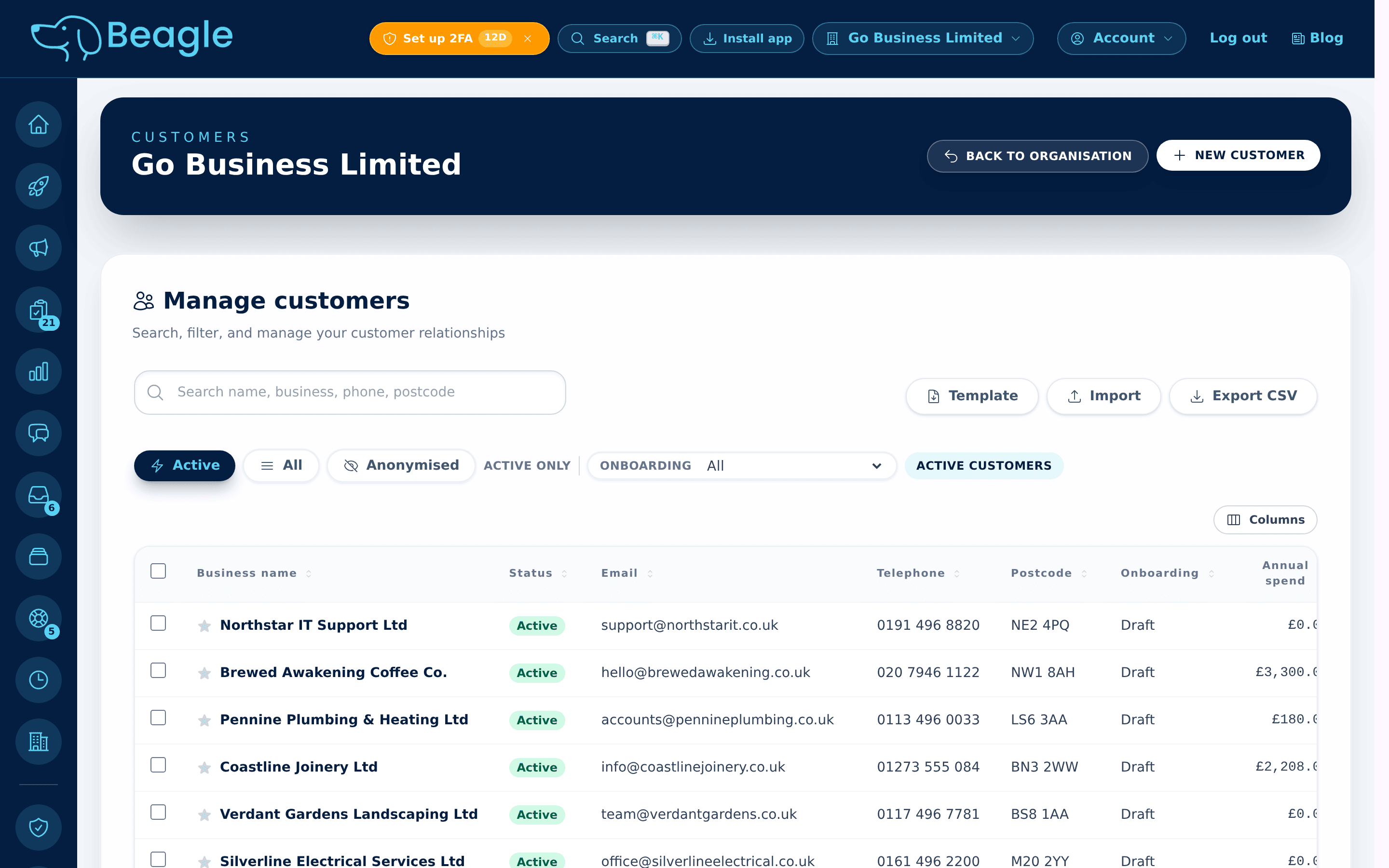
Contact management
Every customer in one shared record.
A CRM keeps customer details, decision-makers, and relationship history in one place. In Beagle that's a searchable customer list with contacts, addresses, account owners, and history — import a spreadsheet to get started in minutes.
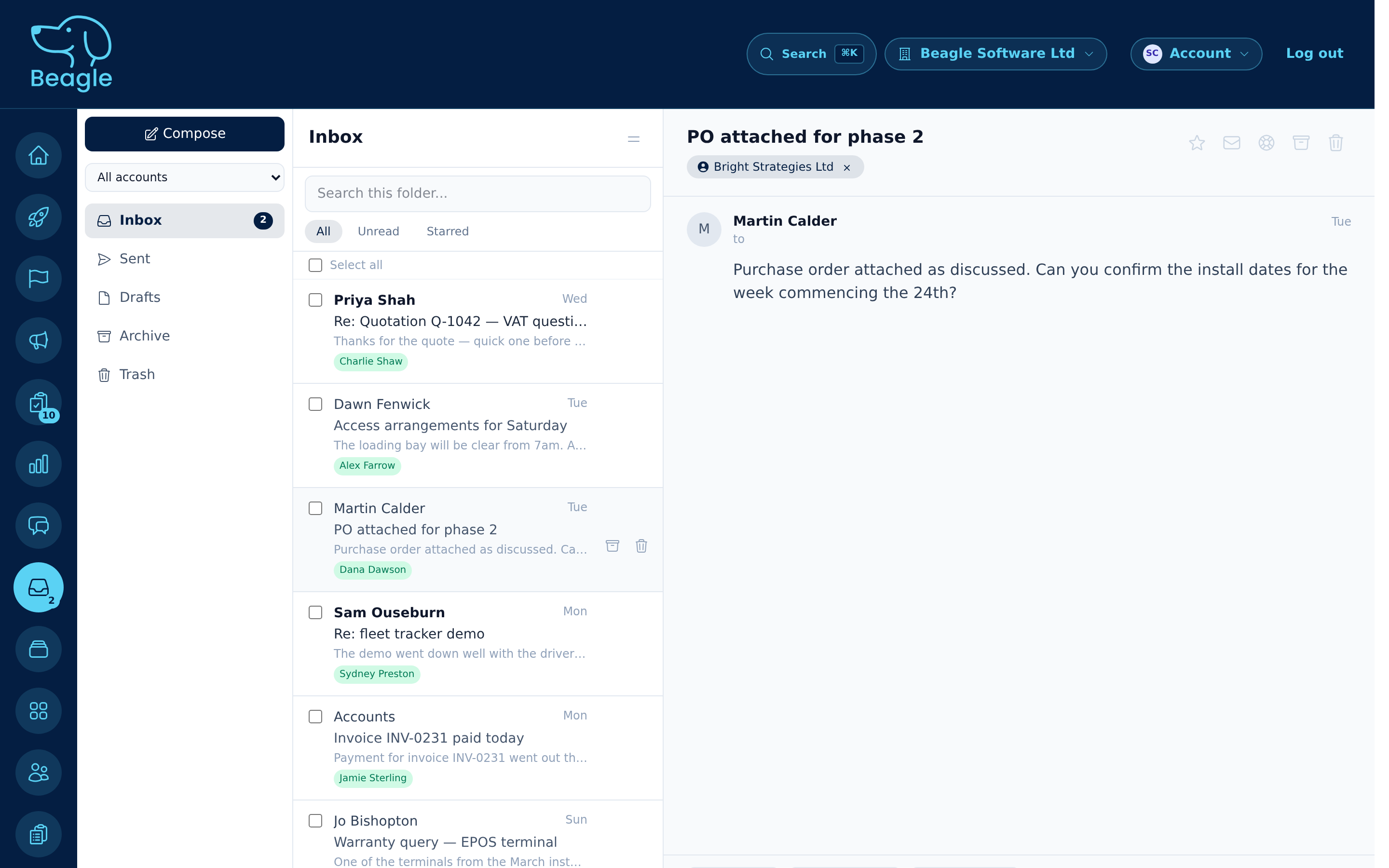
Interaction tracking
Every conversation, attached to the customer.
A CRM logs calls, emails, meetings, and notes so anyone can pick up the thread. Beagle's shared inbox links each email to the right customer, lead, or case — and connects to Google Workspace or Microsoft 365 so nothing lives in one person's inbox.
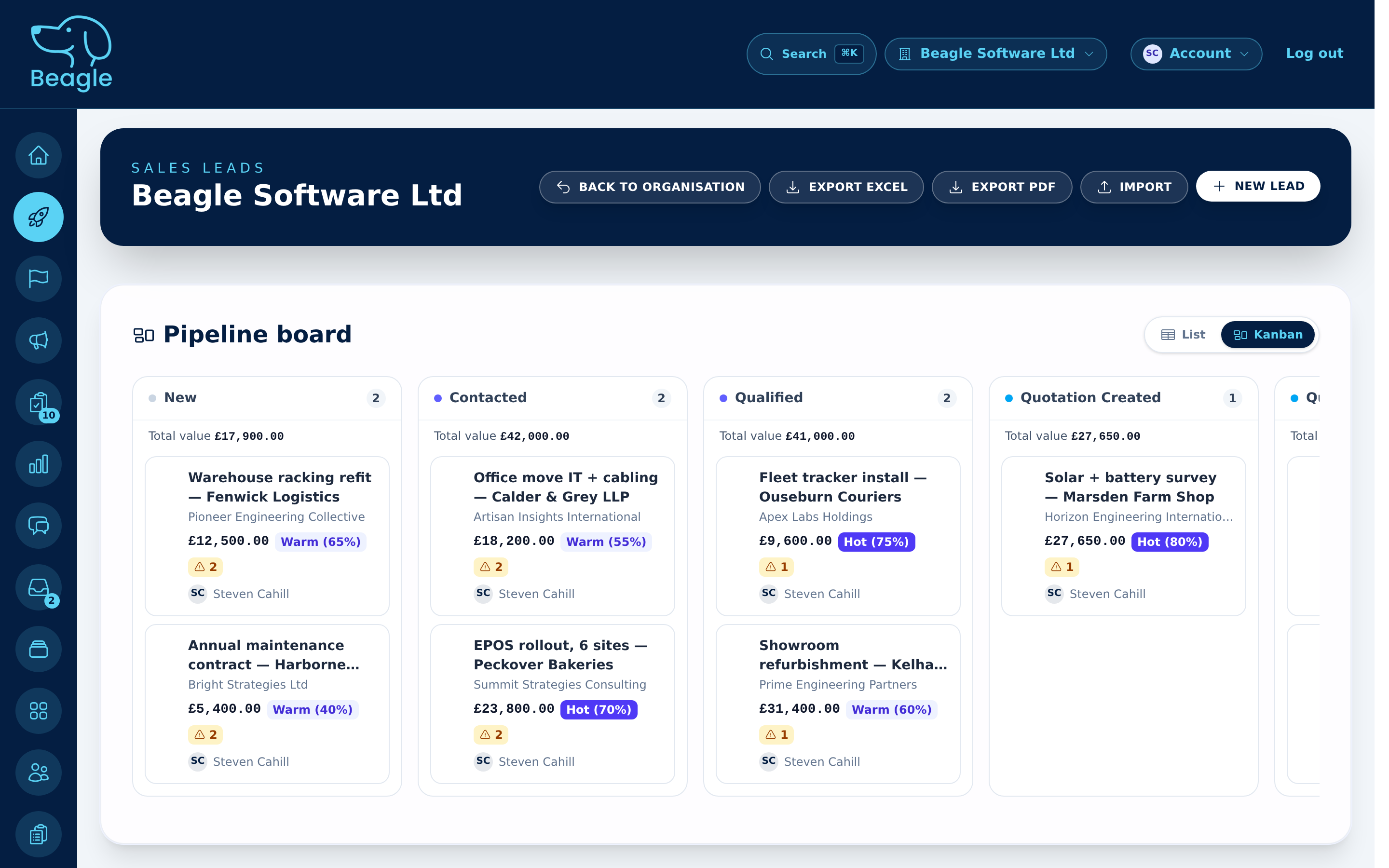
Reminders & follow-up
The next step is never a guess.
A CRM prompts the team when quotes need chasing or a customer needs a reply. Beagle's pipeline board shows every lead by stage with its value, owner, and due next step — so follow-up keeps moving instead of slipping through the cracks.
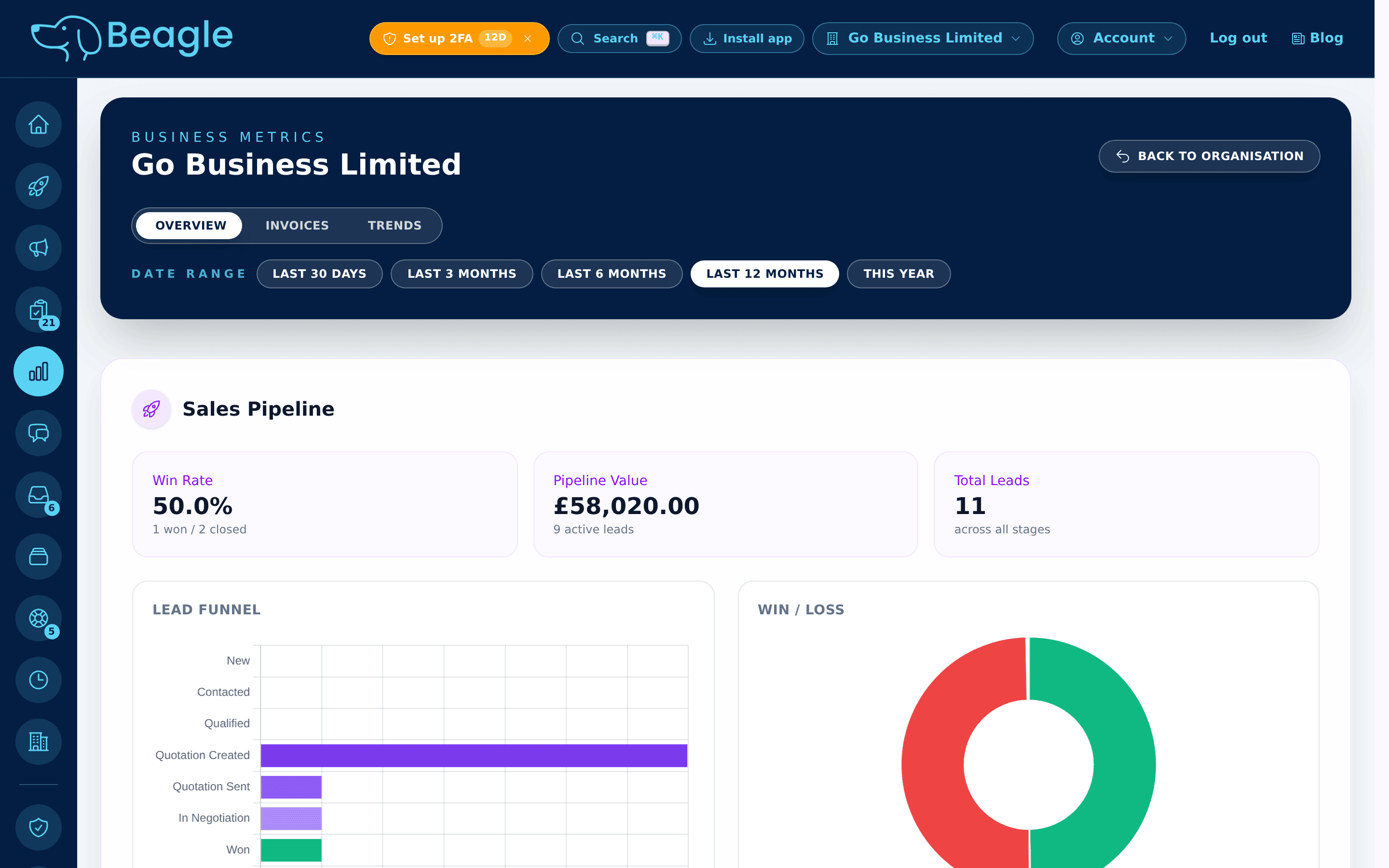
Reporting
See pipeline, conversion and cash at a glance.
A CRM shows pipeline value, conversion rates, and bottlenecks. Beagle's reports surface win rate, pipeline value, a lead funnel, win/loss, and overdue revenue — so you can see what's working and act on the accounts that need attention first.
How to choose a CRM
Pick the system your team will actually use.
The best CRM is not the one with the biggest feature list. It is the one that fits your workflow, your budget, and the level of structure your business is ready for today.
Features that match your stage
Start with the basics you will use every day: contacts, notes, reminders, pipeline, invoicing links, and reporting.
Pricing that makes sense
It should pay for itself through time saved, better conversion, or stronger retention, not become another tool nobody opens.
Room to grow
Make sure it can support more users, more records, and more process without forcing a painful migration six months later.
Support and mobility
Cloud access, mobile use, and responsive support all matter once customer work starts happening everywhere.
In Beagle: everyday essentials come built in — contacts, pipeline, invoicing, inbox, and reports — with simple per-seat pricing, cloud and mobile access, and room to add users and process as you grow. UK-built, VAT-ready, no enterprise theatre.
Integrations matter
CRM gets better when it is connected to the rest of the business.
If your CRM talks to email, calendars, and accounting, your team spends less time entering the same data twice and more time acting on the full customer picture.
Email and calendar
Keep communication history and meetings attached to the customer record.
Accounting
See invoices, payment patterns, and commercial value alongside relationship notes.
Built-in workflows
Automation, service desk, and campaigns come built in, so more of the operation lives in one place as it matures.
Make CRM work
Good CRM habits matter as much as the software.
Even the best system fails when nobody updates it. Teams get value from CRM when they keep records current, review the numbers regularly, and automate the repetitive admin that steals time from customer work.
1. Keep the data fresh
Update contact details, log meetings quickly, and record clear next steps while the information is still accurate.
2. Run regular reports
Review pipeline, activity, overdue revenue, and service issues on a schedule so problems show up early.
3. Automate repeated processes
Let the system create reminders, trigger tasks, and keep routine follow-up moving without manual chasing.
In Beagle: the dashboard opens on what needs attention, reports run on demand, and reminders and recurring invoices keep routine follow-up moving — so good CRM habits are the default, not extra work.
Why BeagleCRM
Built for small teams that want customer work, billing, and follow-up in one place.
BeagleCRM connects customer records with leads, quotes, invoices, support, chat, and task management so your team can stop stitching tools together and start working from a single source of truth.
Ideal if you need
- One customer record linked to sales, billing, and support
- Better follow-up across a growing team
- A CRM designed for practical day-to-day work, not enterprise theatre