UK CRM software for leads, quotes, invoices and customer service
Win more work. Keep more customers. Get paid faster.
Built for UK small businesses that quote, deliver and invoice — service firms, trades and agencies.
Beagle CRM gives UK businesses one place to know every customer, follow up on every lead, and never drop a job — so you can spend less time chasing and more time selling.
No more spreadsheets, sticky notes, or "did anyone reply to this?"
Prefer to read first? Read the User Guide

What Beagle CRM does
Works with your tools
Connect the services you already use.
Beagle plugs into the accounts you already run — no data re-keying, no separate tools to babysit.
Mailchimp
Push contacts to your audiences and send from your own account.
Stripe
Subscription billing and card payments, handled securely.
Companies House
Auto-fill UK company details from the official register.
Microsoft 365
Connect your email inbox and work from your own mailbox.
Claude
Connect Claude and ask it about your own customers, quotes and invoices.
Zapier
Connect Beagle to thousands of apps
Google Workspace
Connect your Gmail inbox and work from your own mailbox.
ChatGPT
Connect ChatGPT to your CRM data the way Claude does — coming soon.
Resend
Send campaigns and invoices from your own Resend account — coming soon.
WhatsApp Business
Message customers on WhatsApp and keep the thread on their record — coming soon.
QuickBooks
Keep your books in step without re-keying a thing — coming soon.
Mailchimp, Stripe, Microsoft 365, Companies House, Claude, Zapier, Google Workspace, ChatGPT, Resend, WhatsApp Business, Xero and QuickBooks are trademarks of their respective owners. Beagle CRM is not affiliated with or endorsed by them. Items marked “Soon” are planned and not yet available.
See it in action
See the whole story behind every customer — and act on it.
Beagle CRM keeps every lead, quote, invoice, and conversation linked to the customer so nothing falls through the cracks — and your team always knows what to do next.
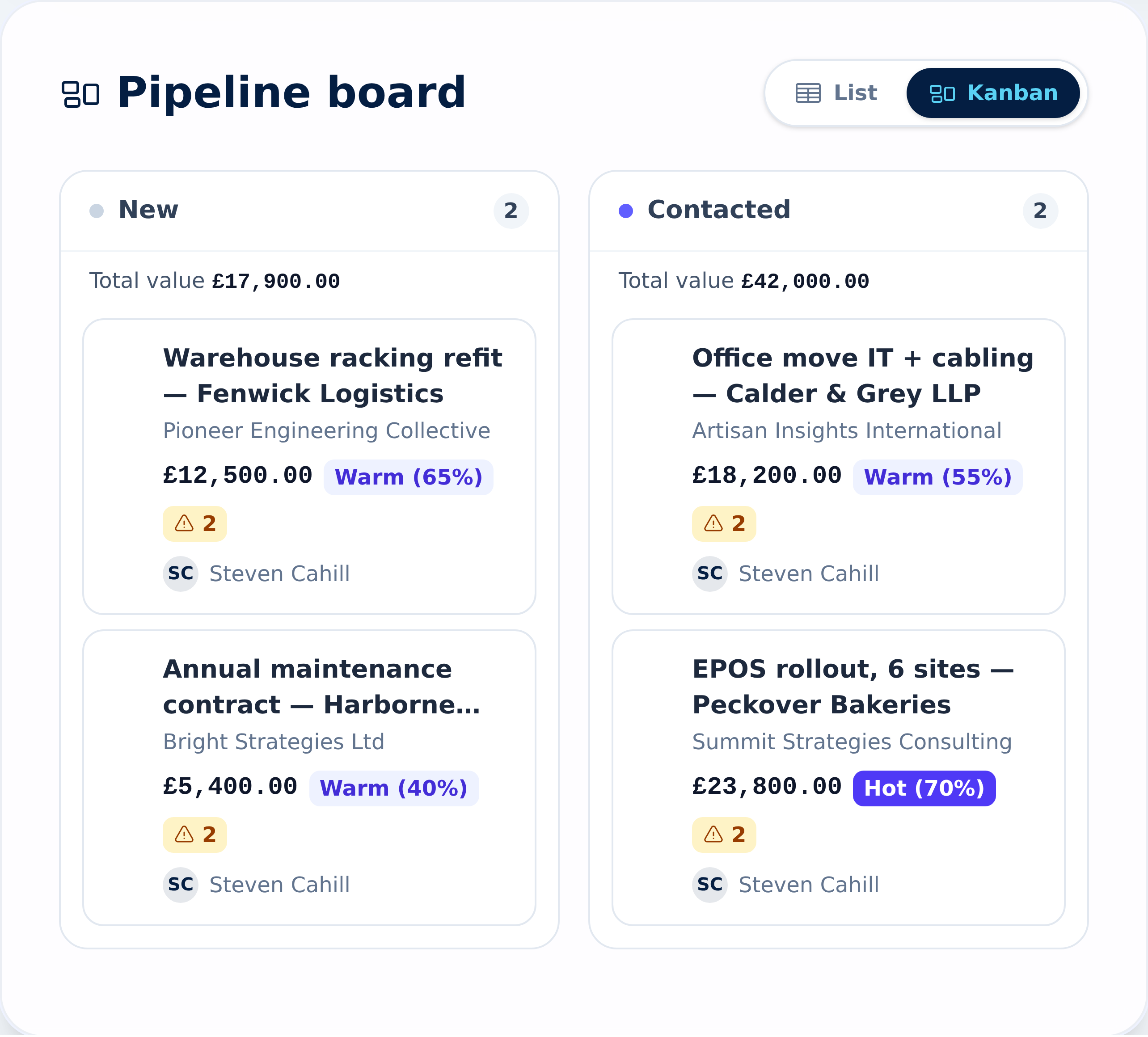
Win more work
Chase fewer leads, close more of them.
Watch every enquiry move from new lead to quotation to won on one pipeline board. See where each deal is, what it's worth, and who's on it — so follow-up never slips and nothing goes cold.
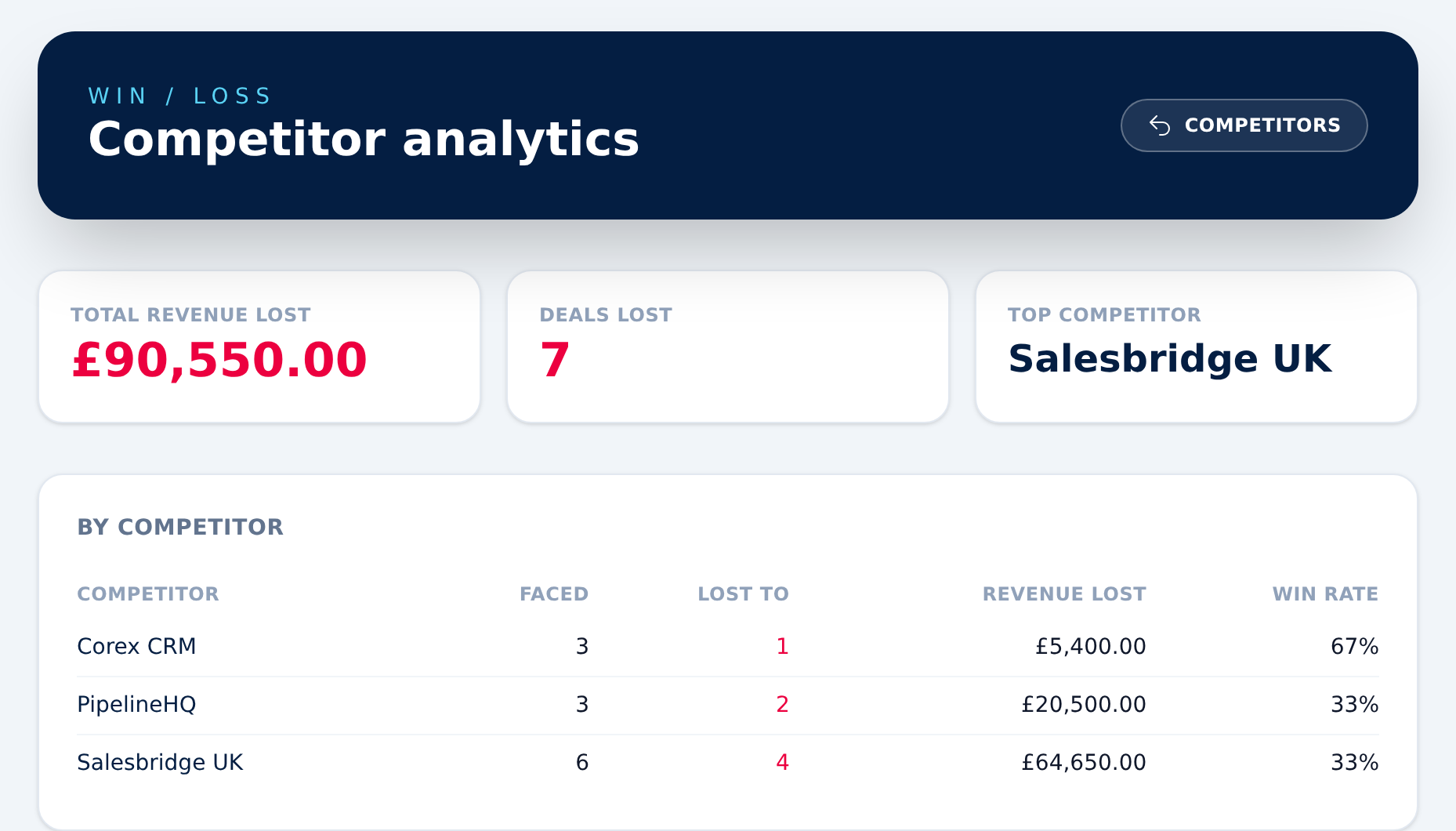
Know the competition
See who you're losing to — and turn it around.
Give every competitor a SWOT profile, link the deals and products you go up against them on, and record who you lost to when a deal closes. Win/loss analytics then show your toughest rivals, the revenue at stake, and your win rate against each one.
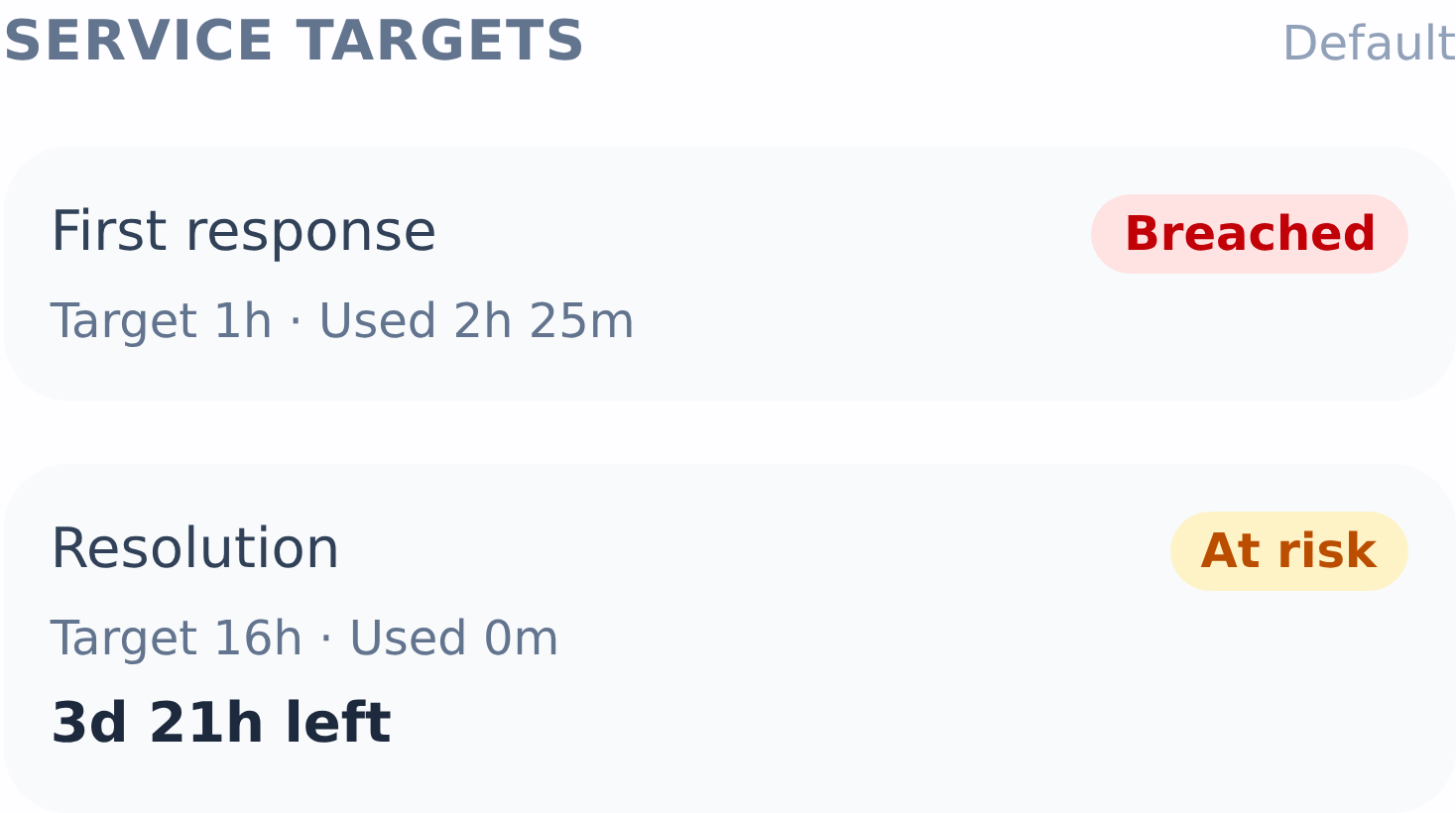
Beat the clock
Every case on a target — before it slips.
Set response and resolution targets for each priority, measured against your own business hours — evenings, weekends and holidays don't count against you. Cases show a live countdown, turn amber when they're at risk, and flag a breach the moment they slip. Risk queues and a dashboard keep the whole team ahead of it, and owners and managers get alerted automatically.
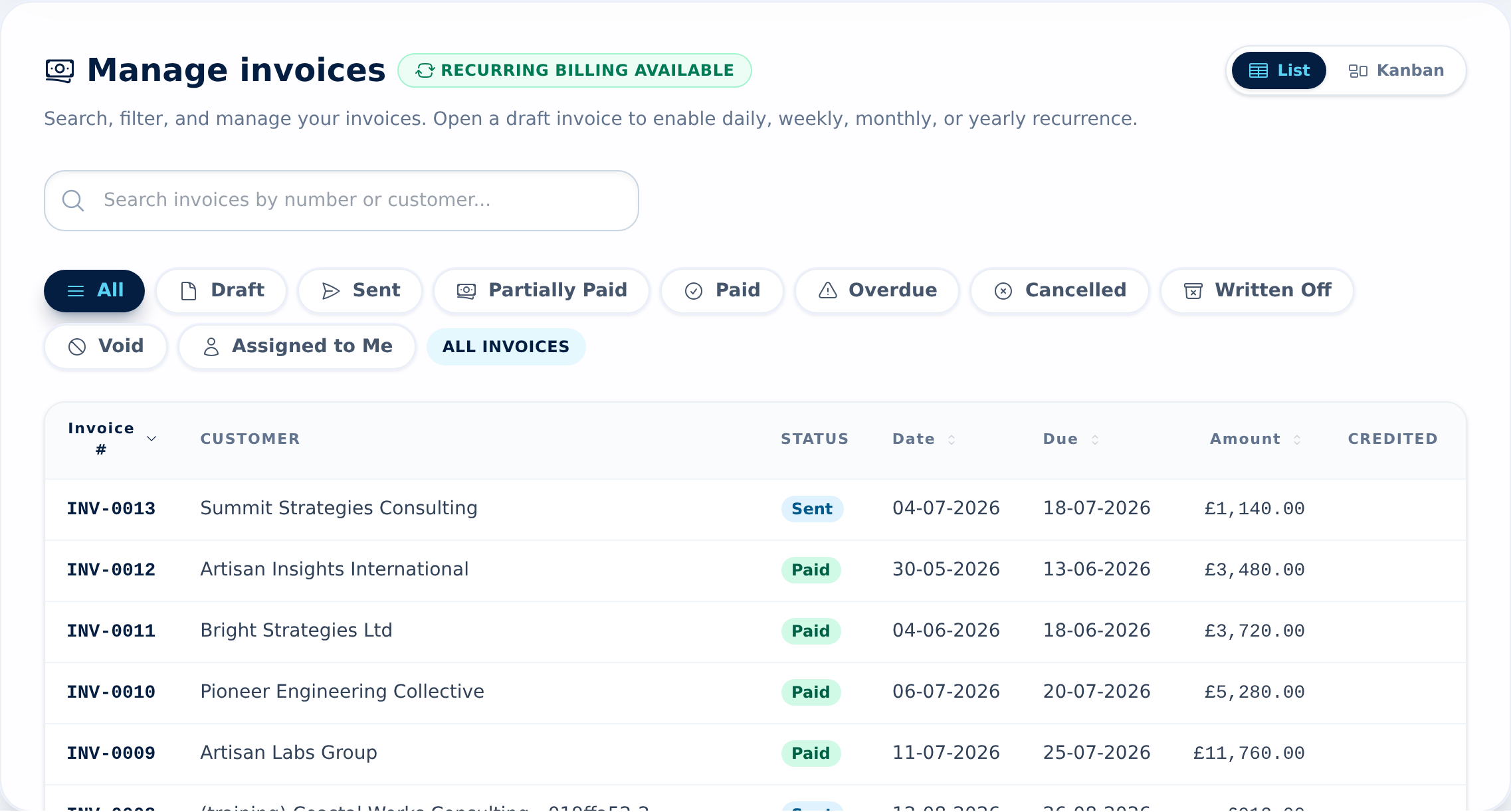
Get paid faster
VAT-ready invoices, built for how the UK gets paid.
Raise VAT-ready invoices, set up recurring billing, and see exactly what's paid, sent, and overdue. Clear forecasts and a running view of cash flow mean less chasing and fewer surprises.
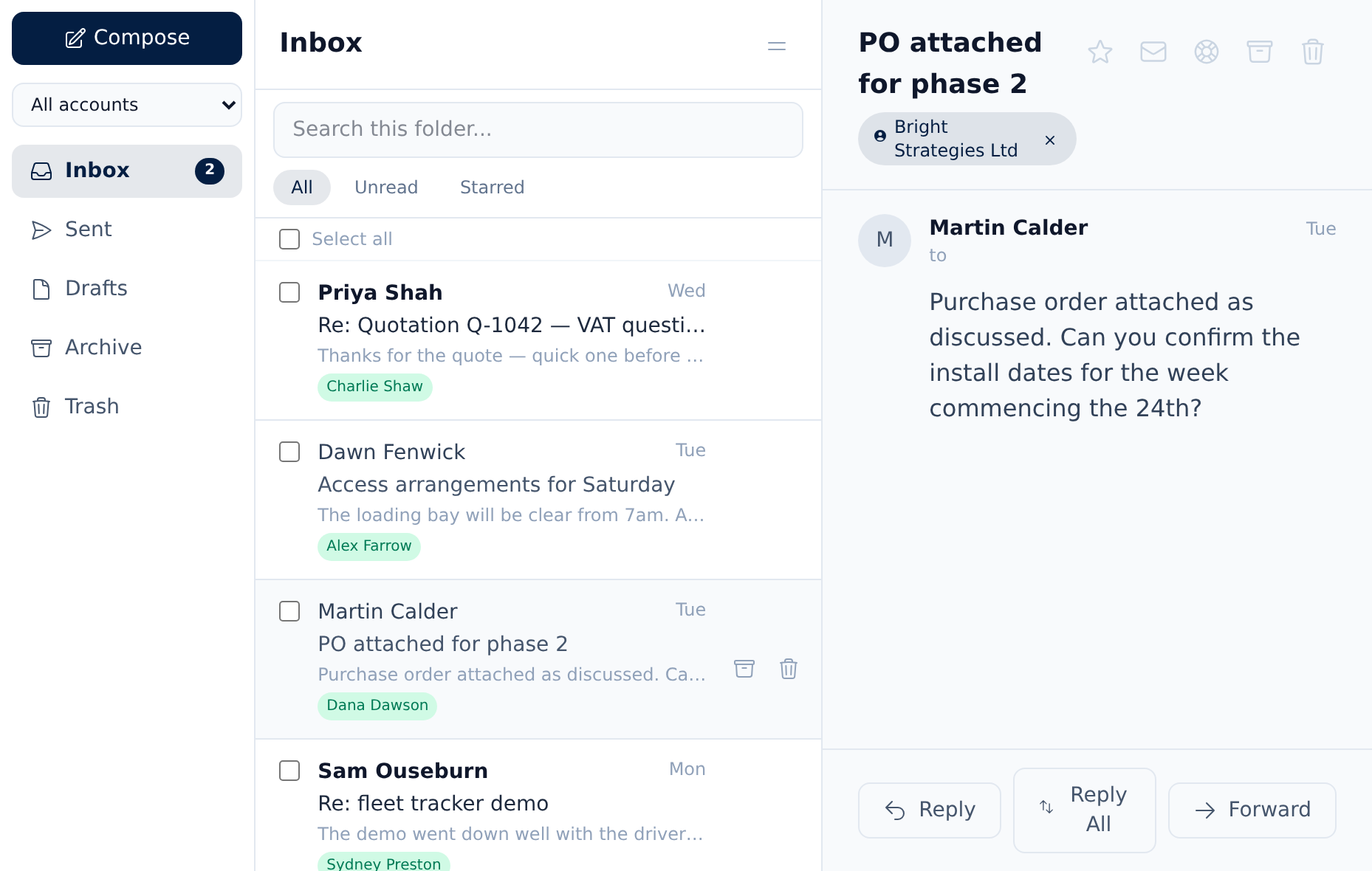
Every customer email, in front of the whole team
One shared inbox for the whole team.
Read and reply to customer email together, with each message filed against the customer who sent it. Turn questions into service-desk cases, and connect Microsoft 365 in minutes or Google Workspace after a short one-off setup.
How the shared inbox worksAsk Oscar
Your AI-driven search hound.
You do not have to remember which of those a thing lives in — Oscar searches leads, quotes, invoices, cases, notes and email together.
Named after the beagle in our logo, Oscar sniffs out the record you half-remember. Ask the way you would ask a colleague — "which accounts complained about delivery?" — and he searches by meaning, not just the words you happened to type.
-
Runs on your own data. The searching and the matching happen on the server your CRM already runs on. Your records are not sent anywhere to make this work.
-
Only what you can already see. Oscar answers from the records your own permissions allow, and links to every one he used — so you can check him.
-
AI is yours to switch on. Oscar finds records without any AI provider at all. Want written answers too? Add your own OpenAI or Anthropic key — and turn it off whenever you like.
You asked
Which customers went quiet after a complaint?
Oscar
Three accounts raised a complaint and have had no contact since — Halstead Plant Hire [1], Northgate Joinery [2] and Redwood Works [3].
Illustration. Every claim Oscar makes is numbered and links back to the record it came from.
All-in-one UK workspace
Everything your UK business needs, in one place.
Leads, quotes, invoices, inbox, and support all share the same customer — so the whole picture lives on one dashboard instead of scattered across apps.
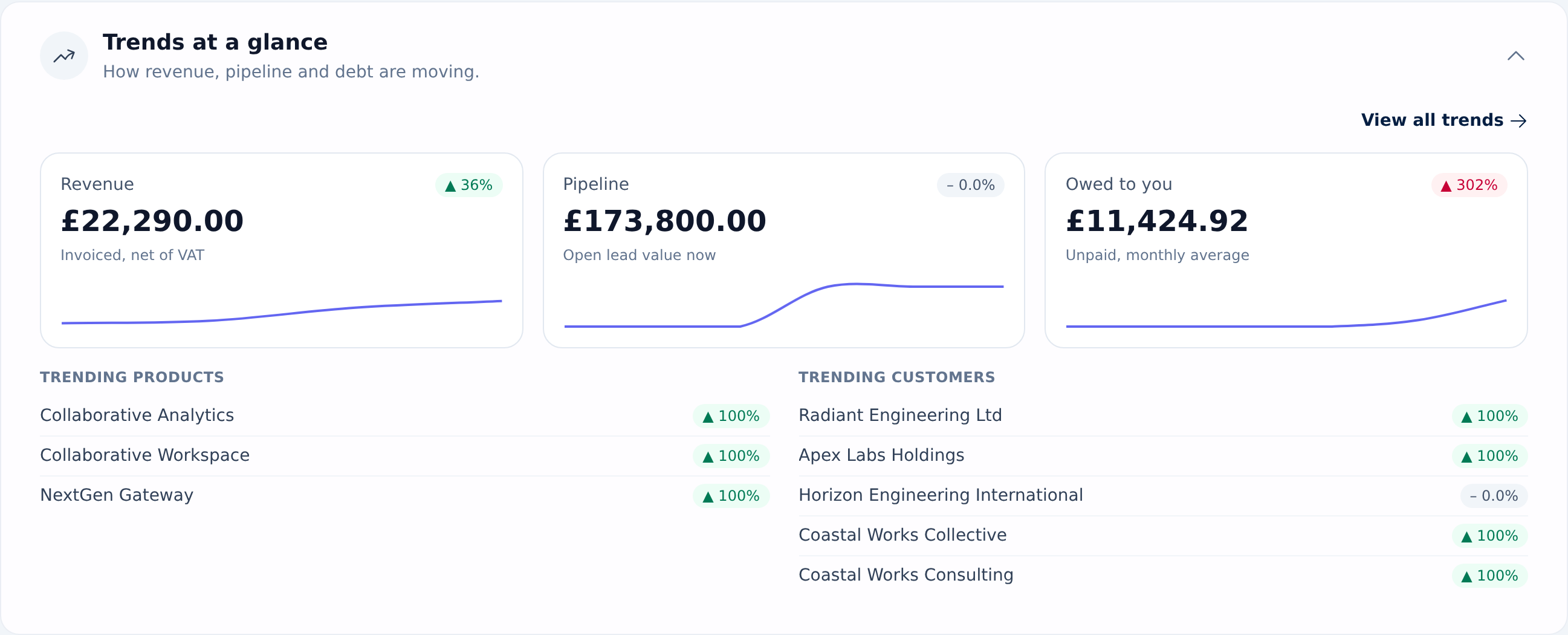
More than a CRM
Deliver the work and fill the pipeline — in the same place.
Beagle isn't just where deals are won. Manage the projects that deliver them, run the marketing that starts them, and support the customers you keep — all linked to the same records.
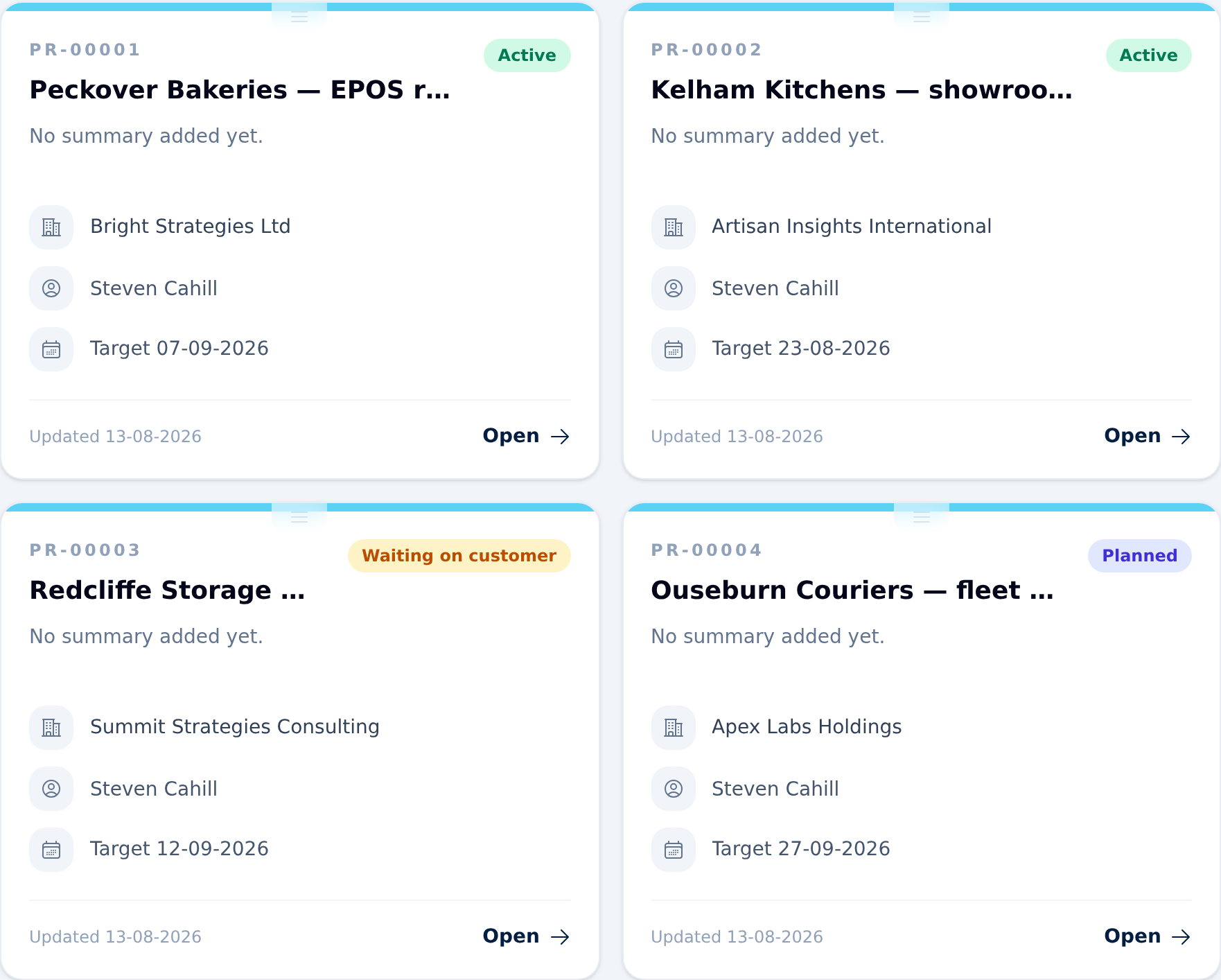
Deliver the work
Run every project from one board.
Turn won deals into projects and keep delivery on track. See what's active, what's waiting on the customer, and what's overdue at a glance — with owners, target dates, and phases all linked back to the customer record.
Keep customers happy
A service desk that shares your CRM.
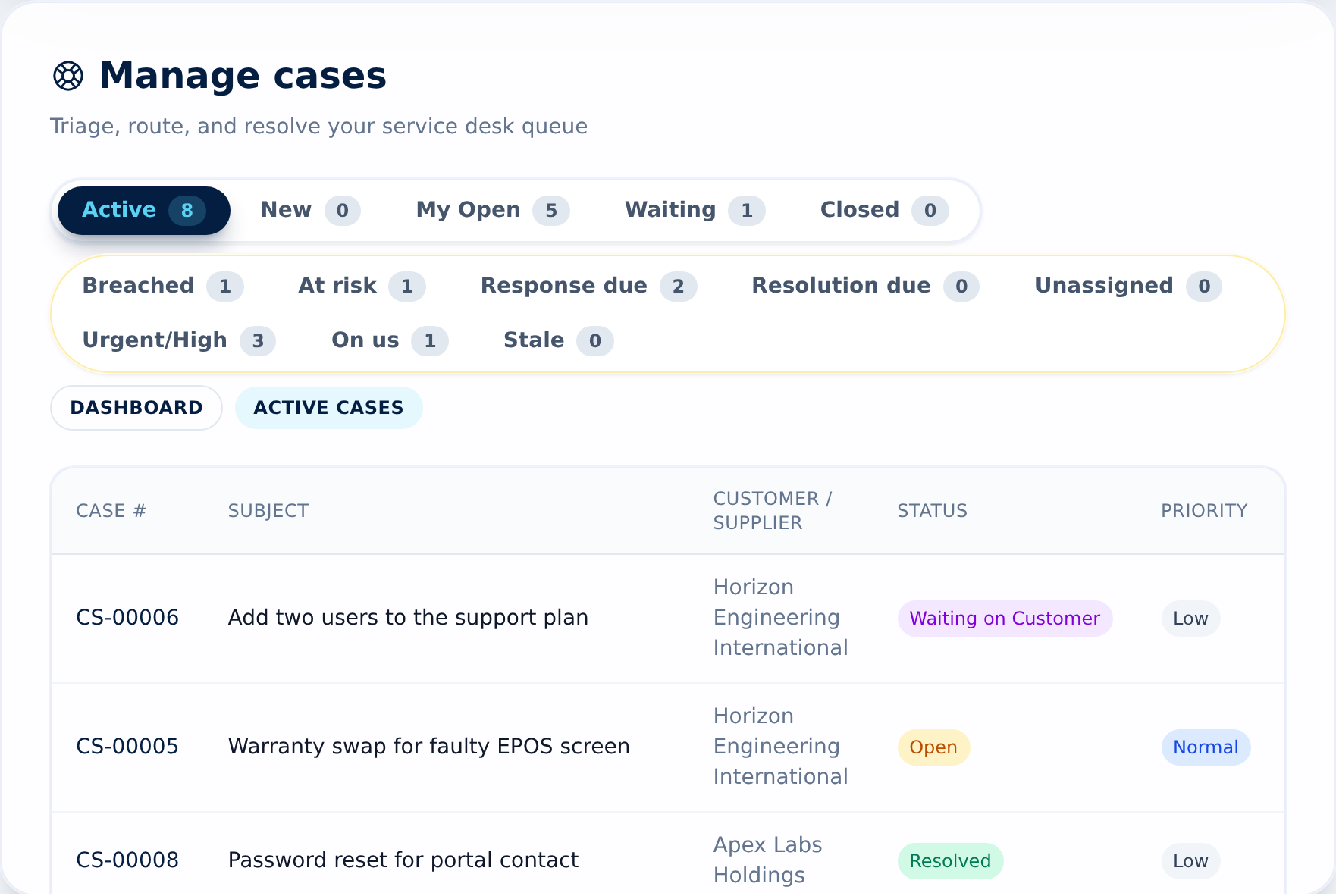
Triage, route, and resolve support cases from one queue — each linked to the customer, their invoices, and the email that started it. Priorities, owners, and due dates keep the queue moving and nothing waiting too long.
And that's not all…
Marketing campaigns
Plan email, social, and event campaigns, target the right leads and customers, and track every member from contacted to converted.
AI summaries
Beagle reads a customer's notes, emails, and activity and writes a plain-English brief with the next best action — using your organisation's own AI key.
Custom fields
Add the data points you actually track to customers and leads — tiers, renewal dates, anything — with required rules so nothing important slips through.
Customer portal
Give customers a secure window into their projects — progress, documents, and quotations to approve — without another login to manage.
Keyboard shortcuts
Jump anywhere with a quick chord, fly through lists, and search every record with ⌘K — press ? for the cheat sheet.
Reports & dashboards
Revenue, pipeline, and outstanding-debt trends at a glance — net-of-VAT reporting built for how UK businesses actually measure the numbers.
Switching is easy
Moving from spreadsheets or another CRM? Here's what to expect.
Onboarding
Start a 14-day free trial with every feature and no card. Setup walks you through your business details before you start.
First-login guideSpreadsheet import
Download an Excel template for customers, leads, contacts, products or suppliers, fill it in, and upload it.
How importing worksSupport
Help comes from the team that builds Beagle, backed by a full help centre and user guide.
Open the help centreSecurity
A UK company handling data under UK GDPR, with authenticator-app two-factor sign-in on every account.
Security in BeagleData export
Admins can export your customers, leads, quotes, invoices and more as spreadsheets at any time. No lock-in.
Exporting your dataSimple, honest pricing
One plan. Every feature. £29 per user, per month.
No tiers to compare and nothing locked behind an upgrade — every business gets the whole of Beagle CRM. Pay annually and get two months free.
All prices exclude VAT.
Questions, answered
Frequently asked questions
- How much does Beagle CRM cost?
- £29 per user, per month, or £290 per user, per year — two months free. One plan with every feature included, no tiers and no add-ons. All prices exclude VAT.
- How does the free trial work?
- Every new organisation starts with a 14-day free trial of the full product — every feature, no credit card required. You only add payment details when you're ready to subscribe.
- Is our data safe, and can we get it out?
- Beagle CRM is built and run by Beagle Software Ltd, a UK company, and personal data is handled under UK GDPR. Your data stays yours and stays exportable — no lock-in.
- Can we bring our existing customers across?
- Yes — import customers, leads, contacts, products and suppliers from Excel spreadsheets. Moving from another CRM? Export your records, paste them into our import template and bring them straight in.
- What support do we get?
- Support from the team that builds Beagle, plus a full help centre and user guide. And if you'd like a walkthrough first, you can book a demo any time.
Ready to see it properly
See the same workflows in the live product.
Start the free trial or open the guide, then explore the same customer, billing, inbox, and support flows inside the app.
Prefer to read first? Read the User Guide