
VAT invoicing
VAT invoicing software for UK small businesses
An invoice is a tax document as well as a request for money. Beagle CRM works out VAT line by line, prints your VAT registration number on the PDF, and records the VAT position at the moment the invoice is issued, so a later change to your settings never rewrites history.
After it goes out, the same invoice takes part payments, card payments, credit notes and reminders, and each one leaves a trail you can follow.
14-day free trial with every feature. No card required.
The problem
Where invoicing tools let small firms down
-
VAT is one number for the whole invoice.
Real jobs mix standard-rated labour with reduced-rate or zero-rated items, and a single rate box can't hold that.
-
Corrections mean editing what was already sent.
Changing an issued invoice instead of crediting it leaves your records and your customer's copy disagreeing.
-
Part payments vanish into notes.
When a deposit arrives, nobody can see the balance still owed without working it out by hand.
-
Bad debts and mistakes are deleted, not recorded.
An invoice that disappears from the list also disappears from the audit trail your accountant will ask about.
What's included
What a Beagle invoice can do
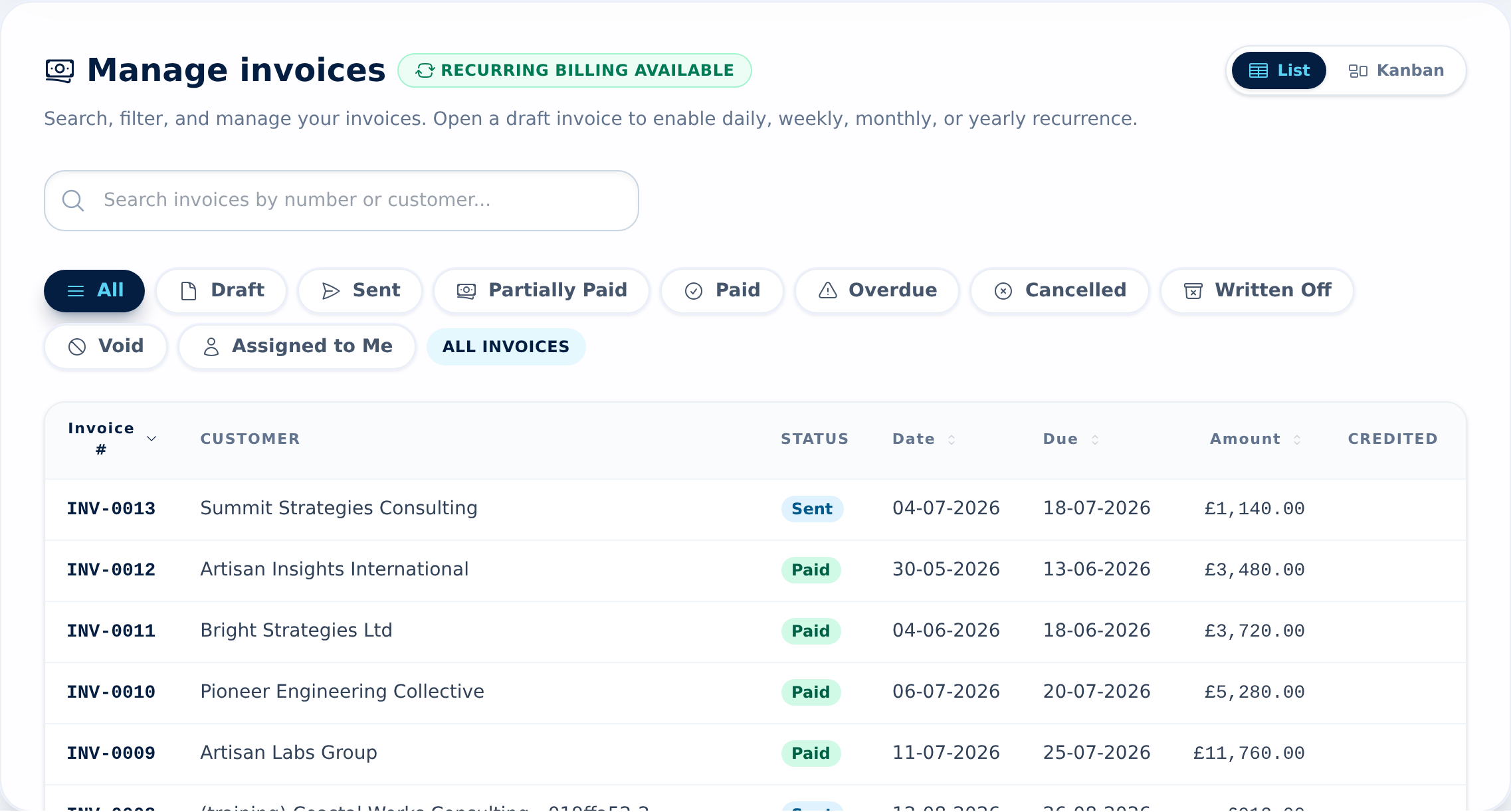
-
VAT set on each line
Pick your standard rate, 5% or 0% for every line. The PDF prints each line's rate and a summary of net and VAT for each rate above the total. Your standard rate is a setting, not a fixed 20%.
How VAT on invoices works -
VAT registration on the document
Add your VAT number once in Organisation Settings and it appears in the footer of every invoice and credit note, next to your company number. Not registered? Leave it blank and invoices carry no VAT.
Adding your VAT number -
Numbering you control
Invoices and credit notes each run their own sequence with your own prefix, such as INV-0042 and CN-0007.
Setting invoice prefixes -
PDF, email and a pay link
Sending an invoice emails it with the PDF attached. If you've connected Stripe, the email carries a link for paying the balance by card, and the money goes to your own Stripe account.
How card pay links work -
Part payments that add up
Record a deposit or a stage payment with its date and a note. The invoice moves to part-paid and shows what's left. One click marks the remainder as paid.
Recording part payments -
Credit notes done properly
Credit the whole invoice, chosen lines, or a custom amount. Then reduce what the invoice is owed, hold the credit on the customer's account for a later invoice, or log a refund with its method and reference.
How credit notes work -
Reminders that go out on their own
Switch on reminders for your organisation and sending an invoice schedules its first reminder automatically; a daily check sends it with the PDF and pay link. You can also send one from the invoice while it is unpaid, and each invoice keeps its reminder history. Overdue invoices have their own filter.
How invoice reminders work -
Void and write-off, with a reason
An admin can void a mistaken invoice or write off a bad debt. Both ask for a reason, both are kept on record, and a voided invoice loses its pay link.
Voiding and writing off invoices -
Exports for your bookkeeper
Download a CSV of your invoices with net, VAT, gross, paid and credited amounts, or a ZIP of the invoice PDFs, filtered the way you need, up to 2,000 invoices at a time.
Exporting invoices
How it works
One invoice, start to finish
A small joinery workshop fits a run of kitchen units for a homeowner. Here is that invoice in Beagle CRM, from the first draft to the month-end handover.
-
Raise the invoice.
The office manager converts the confirmed sales order, or starts a standalone invoice. Labour and materials are separate lines at the standard rate. One line gets a fixed-amount discount for a reused worktop offcut.
-
Check the VAT.
Each line shows its rate. The totals show the net amount, the VAT and the gross amount before anything is sent, and the PDF adds a net-and-VAT summary for each rate.
-
Send it.
Send emails the PDF to the customer. At that moment Beagle records that VAT applied and which VAT number was used, and the invoice moves to Sent. The email includes a card pay link because the workshop has connected Stripe. Reminders are switched on, so the first one is scheduled straight away.
-
Take the deposit.
The customer pays 40% by bank transfer. The office manager records it with the date. The invoice shows as part-paid with the balance beside it.
-
Correct a line.
One cabinet door arrives damaged and the customer agrees a reduction. Rather than editing the issued invoice, the office manager raises a credit note against that line as an invoice adjustment. The balance drops and the credit note gets its own number and PDF.
-
Chase, then get paid.
The due date passes and the invoice appears under Overdue. The scheduled reminder goes out on its own, with the pay link. The customer pays the rest by card, and the invoice turns Paid on its own.
-
Hand over the month.
At month end, a manager exports the month's invoices as a CSV for the bookkeeper. If the workshop uses Xero, the invoice and credit note are already there.
What it doesn't do
Clear limits, stated up front
Beagle produces and tracks your sales invoices. It is not your VAT return.
- No Making Tax Digital submission. Beagle does not connect to HMRC or file VAT returns. Most firms file from their accounting software; connect Xero and your invoices and credit notes go there for you.
- No VAT return figures. The reports page shows the VAT on this month's invoices as a guide. It is not a box-by-box return and does not net off credit notes.
- Reminder timing and wording are fixed. You can switch reminders on and cap how many go out, but the schedule and the email text can't be edited in the app.
- Pounds sterling only. Invoices are issued in GBP.
- Classification for Xero only. Lines can be tagged zero-rated, exempt, outside the scope or reverse charge, but only once Xero is connected, and only so the right tax rate reaches your ledger. Beagle doesn't print special wording, such as a reverse charge notice, on the invoice for you.
- Credit notes aren't emailed. Download the PDF and send it yourself.
Pricing
One plan, every feature
£29 per user per month, or £290 per user per year (two months free)
VAT invoicing, credit notes, card payments and exports are all part of the one plan. Every feature is included and there are no add-ons.
All prices exclude VAT.
Questions, answered
Frequently asked questions
- Can one invoice have lines at different VAT rates?
- Yes. Each line has its own rate: your standard rate, 5% or 0%. The PDF shows the rate on every line and a net-and-VAT summary for each rate above the total.
- Does my VAT number appear on the invoice?
- Yes, once it's saved in Organisation Settings. It prints in the footer of invoices and credit notes, with your company registration number if you've added one.
- I'm not VAT-registered yet. Can I still use it?
- Yes. Without a VAT number, invoices show a plain total with no VAT. Add the number when you register and new invoices start charging VAT. Invoices already sent keep the VAT position they were issued with.
- How do I correct an invoice I've already sent?
- Raise a credit note against it. You can credit the full amount, selected lines or a set figure, and choose whether it reduces the invoice, sits on the customer's account as credit, or records a refund.
- Can customers pay by card?
- Yes, if you connect your own Stripe account. Invoice emails and reminders include a link to pay the outstanding balance, and the invoice is marked paid when the payment clears.
- Does Beagle CRM submit VAT returns to HMRC?
- No. Beagle doesn't file returns or connect to HMRC for Making Tax Digital. Connect Xero and your issued invoices and credit notes are posted there, ready for your return.
Related
- Quotes, invoices & CRM Quote, win, invoice and get paid without re-keying a line. Beagle CRM links every UK quote, sales order and VAT invoice to the customer who asked for it.
- CRM with Xero Quote and invoice in Beagle CRM; issued invoices and credit notes post to Xero under the same number, and Xero payments flow back every hour.
- CRM for small businesses One CRM for a small UK team: leads, customers, quotes, VAT invoices, a shared inbox and a service desk. £29 per user, every feature, 14-day free trial.
- Quoting software Build quotes from your catalogue, discount any line, email a PDF with your logo and see when the customer opens it. Quoting software for UK businesses.
- Recurring billing Turn any invoice into a weekly, monthly or yearly series. Each repeat gets its own number and dates, ready to check and send with a card pay link.
Send a VAT invoice you'd be happy to show your accountant
Try every feature free for 14 days with no card, or book a demo and we'll walk through your invoicing with you.