
Service businesses
CRM for service businesses that deliver, then support
For a service business the sale is the start. After the quote is accepted there's a project to run, a customer who wants to know how it's going, and support requests for months afterwards. When those live in separate tools, the customer repeats themselves to every one.
Beagle CRM keeps the sale, the project and the support case on the same customer record, so whoever picks up the phone can see the whole relationship.
14-day free trial with every feature. No card required.
The problem
Where service work slips
-
The hand-off from sales to delivery loses detail.
What was promised in the quote never reaches the person doing the work.
-
Customers chase for updates.
"Where are we up to?" emails eat the time you'd rather spend doing the work.
-
Support requests have no clock.
Nobody can say which customer has waited longest, or who is about to be let down.
-
Nobody sees the whole relationship.
The account manager doesn't know about the open complaint; support doesn't know a renewal is due next month.
How it works
From enquiry to aftercare, on one record
Take an IT consultancy asked to move a client's office onto new systems. Here is that engagement in Beagle CRM, from the first enquiry to support after go-live.
-
Enquiry to quote.
The enquiry is logged as a lead and the quote is raised from it. The client accepts it by email, or in their portal if you've invited them.
-
Quote to project.
Start a project straight from the quote or lead, and the customer and the link back to what was sold are filled in. Plan it in phases with target dates, then give the team tasks on a board and a Gantt chart you can drag.
-
Keeping the client informed.
Invite the client to their project portal. They see the phases and files you choose to share, upload what you've asked them for and approve sign-offs, without a single "any update?" email.
-
Time against the work.
The team logs time against tasks and phases, marked billable or not, and you compare it with the estimate as the project runs.
-
After go-live.
Support requests sent to your support@ mailbox open cases on the service desk, with first-response and resolution clocks running in your business hours.
-
One record.
The account manager opens the customer and sees the quote, the project and the open cases together, before the next call.
What's included
Everything for delivery and aftercare
-
Projects
Phases, tasks, owners and target dates, blockers that record who you're waiting on, board and Gantt views, templates, and a portfolio view across projects.
How projects work -
Files and documents
Folders, pinned files, files shared with the customer, and documents written in the app that export to PDF or Word.
Project files and documents -
Customer project portal
Customers see what you share, comment, upload requested files, approve sign-offs and accept or decline quotes. You send them a personal invite link, so there is no password to manage.
How the project portal works -
Service desk
Numbered cases with priorities, your own categories and an owner for each, and email replies that customers answer from their own inbox.
How the service desk works -
Service targets
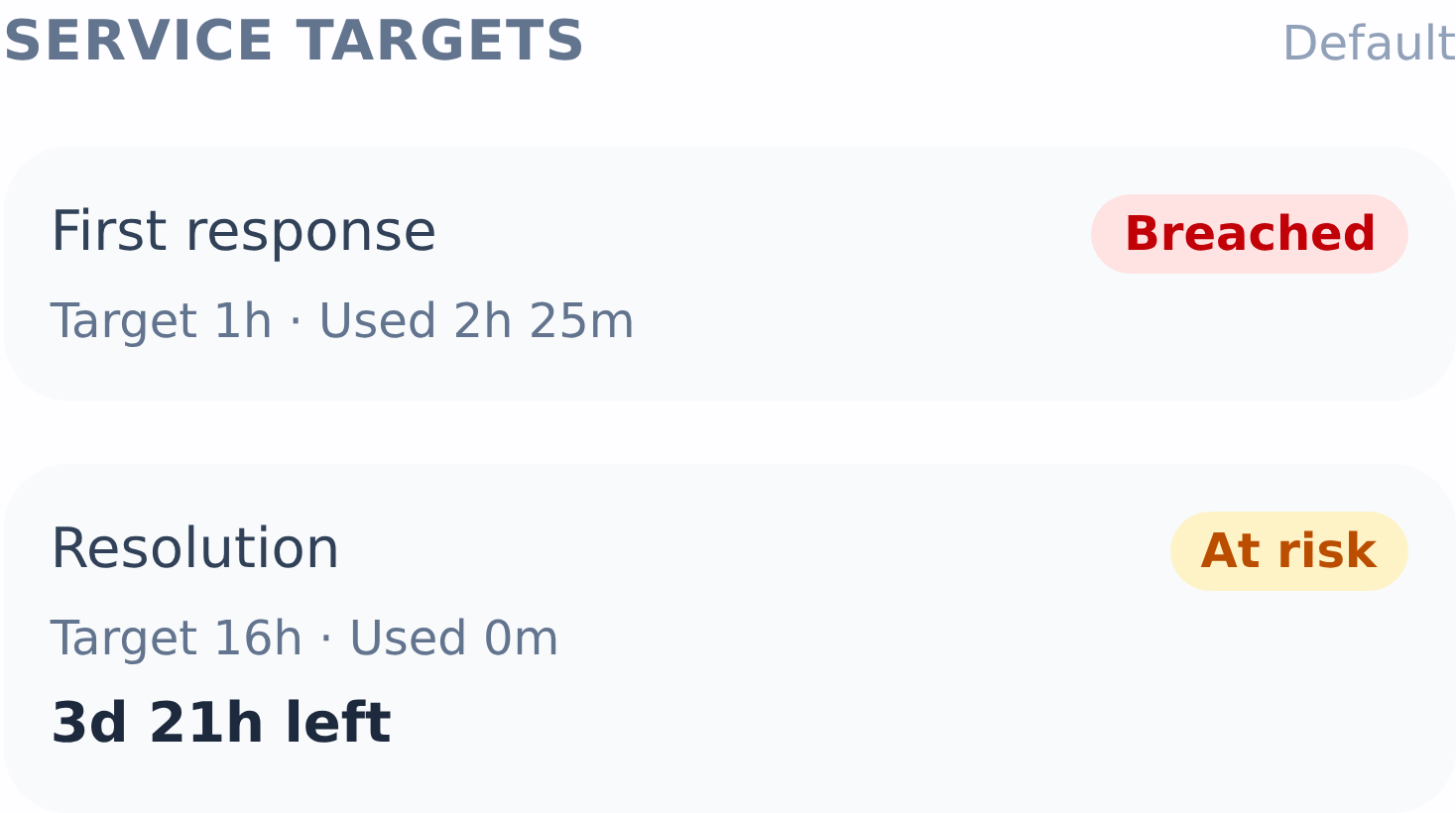
First-response and resolution targets per priority, counted in your business hours and holidays, paused while you wait on the customer, with at-risk and breached flags.
How service targets work -
Time logging
Log time against tasks and phases, billable or not, and compare it with the estimates.
Logging time on projects -
Recurring tasks
Repeat maintenance visits or check-ins daily, weekly, monthly or yearly.
How recurring tasks work
Clear edges
What it isn't
Beagle isn't a field-service tool: there's no engineer scheduling, dispatch or route planning, and time is logged rather than run on a timer. Service targets are switched on when you're ready to use them.
Customers reply to and resolve the cases you've invited them to, rather than opening new ones in the portal; new requests arrive by email.
Pricing
One plan, every feature
£29 per user per month, or £290 per user per year (two months free)
Projects, the service desk, customer portals and time logging are all in the one plan.
All prices exclude VAT.
Questions, answered
Frequently asked questions
- Can customers see how their project is going?
- Yes. Invite them to the project portal and they see the phases, tasks, notes and files you've marked as visible. They can comment, upload files you've asked for, approve sign-offs and accept or decline linked quotes.
- Does the service desk track response times?
- Yes, once you switch service targets on. Each case gets a first-response and a resolution target based on its priority, counted in your business hours. The resolution clock pauses while you're waiting on the customer, and cases are flagged at risk or breached.
- Can support emails become cases automatically?
- Yes. Mark a mailbox as a support mailbox and each new email opens a case. Customers can reply to the case from their own email, and their replies are added to it.
- Can we track time on projects?
- Yes. Log time against a project's tasks and phases, marked billable or not, and compare it with the estimates. There's no running timer, and time isn't turned into invoices automatically.
- Can a project start from a quote?
- Yes. Start a new project from a lead, quotation or invoice and the customer and the link back are filled in for you, so the team can see what was sold.
- Is it suitable for field-service businesses?
- Partly. Projects, cases and customer records work well for any service business, but Beagle has no engineer scheduling, dispatch or route planning.
Related
- CRM for small businesses One CRM for a small UK team: leads, customers, quotes, VAT invoices, a shared inbox and a service desk. £29 per user, every feature, 14-day free trial.
- Shared inbox CRM One team inbox for sales@ and support@, with every email linked to the customer who sent it. Reply from your own mailbox; support email becomes a case.
- Quotes, invoices & CRM Quote, win, invoice and get paid without re-keying a line. Beagle CRM links every UK quote, sales order and VAT invoice to the customer who asked for it.
- Service desk Numbered support cases with priorities, owners and your own categories, SLA clocks in business hours, email replies and a no-login customer case portal.
- Project management Run client projects in phases, with tasks on a board and a Gantt chart, blockers, time against estimates and project files. £29 per user, 14-day trial.
- Customer portal Let clients follow their project, approve work, upload files, accept quotes and reply to support cases in a portal with your logo. No passwords to manage.
Run delivery and support where the customer already is
Start a 14-day free trial with every feature and no card required, or book a demo and we'll walk through a project and the service desk with you.