
Marketing automation
Campaigns & journeys
Viewers read; Admin & Agent manage
Campaigns let you group leads, contacts, or customers into segments, automate outreach with journeys (drag-and-drop flows of triggers, waits, emails, tasks, conditions, webhooks, and goals), and measure performance end-to-end. Marketing email is sent through a dedicated email account you connect (SMTP, SendGrid, or Microsoft 365 via OAuth). Opens, clicks, bounces, and unsubscribes flow back into the CRM when the sender supports event webhooks (SendGrid in V1 — SMTP and Microsoft 365 do not yet surface delivery events).
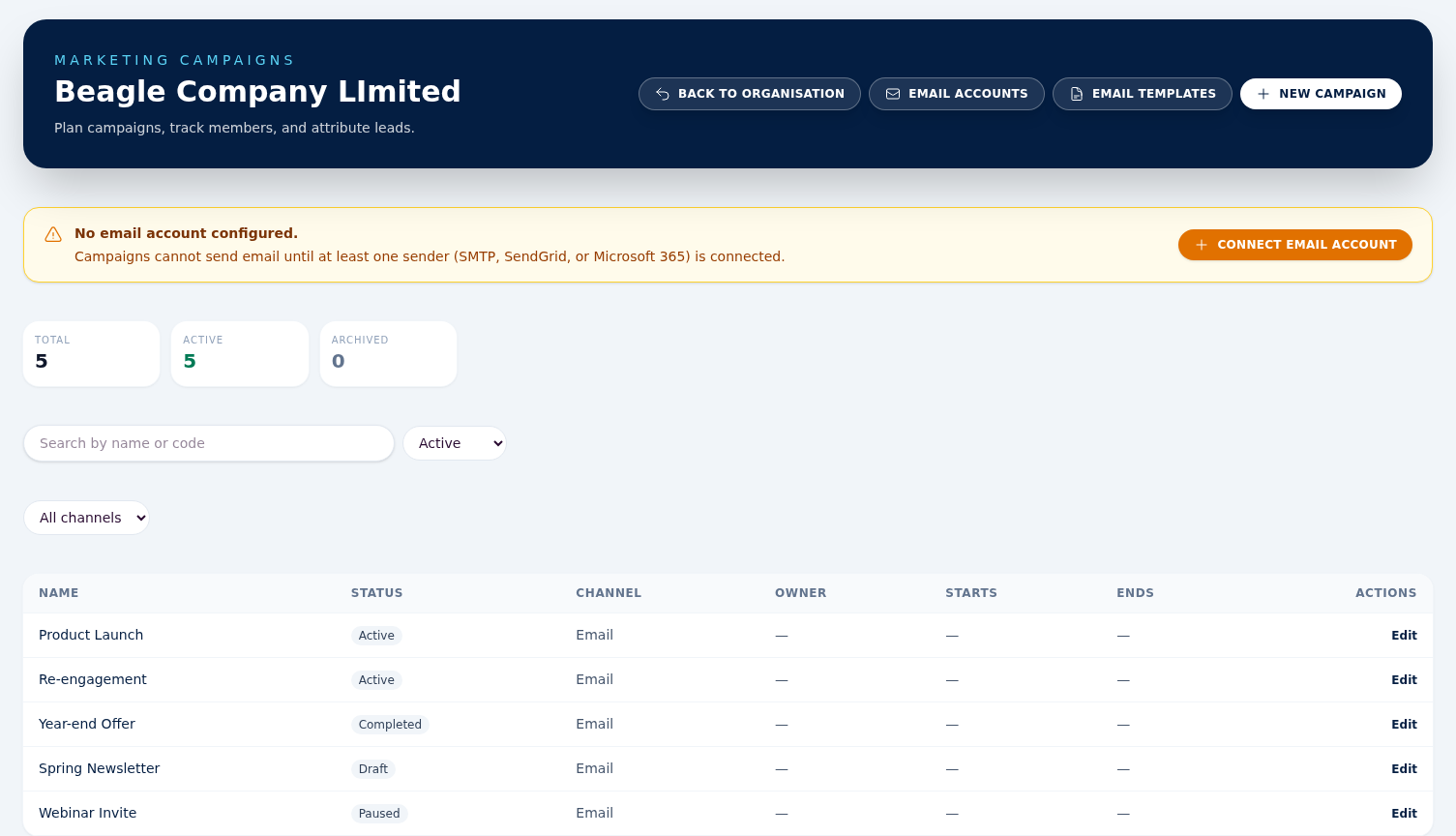
Creating a campaign
Go to Campaigns → New campaign . Set a name, status (draft, scheduled, active, paused, completed, archived), optional budget, and start / end dates. The budget feeds the ROI calculation on the Performance tab. Viewers can view campaigns but cannot create, edit, or archive them.
Members & attribution
These are two separate things, and it is worth knowing which is which before you read the numbers.
Audience — select rows in the Leads or Customers grid, click Add to campaign in the bulk action bar, pick a campaign. This builds the campaign's membership: the Members tab, the Audience panel, journey enrolment and Mailchimp pushes all read it. Idempotent: re-running on the same set will not create duplicate member rows.
Attribution — the Performance tab counts only leads whose own Campaign field (on the lead form) is set to this campaign, plus the quotation / sales order / invoice rollups for those leads. Adding leads in bulk does not set that field, so a campaign can show a full Members tab and still read zero on Performance — that is expected, not a fault. To attribute a lead, set its Campaign field. Customers have no such field and never affect Performance, and neither do tasks raised by a campaign journey.
Audience readiness (who can receive email)
Open a campaign and switch to the Members tab for the Audience panel: a plain-language readout of who you can reach, no spreadsheet needed. It loads the first time you open the tab (and refreshes after a bulk add) and answers one question: “if I send now, who actually gets it?”
- The people count beside the panel title is everyone attached to the campaign, with the lead / contact / customer mix shown underneath.
- ready to receive email — members with a valid address who are not suppressed and have opted in.
- can't be emailed right now — broken down so you know exactly what to fix: no email address, unsubscribed or bounced, or haven't opted in. A reason with a count of zero is not listed.
This doesn't change who a send reaches — consent and suppression are still enforced automatically at send time. It just makes the numbers visible up front, so a campaign audience is a clear list rather than a black box. If your organisation requires confirmed (double) opt-in, the panel notes that the confirmed-opt-in step still applies on top of the ready count.
Email accounts (senders)
Before any campaign can send email you must connect at least one sender at Campaigns → Email accounts → New . Three kinds:
- SMTP — host, port, username, password, TLS mode. Use for your own mail server or a vendor that gives SMTP credentials.
- SendGrid API — paste an API key. The webhook URL shown on the account detail page must be pasted into your SendGrid dashboard so we receive opens / clicks / bounces.
- Microsoft 365 OAuth — click Connect Microsoft 365 on the new-account form to complete the consent flow. Beagle stores the refresh token securely; access tokens are refreshed on the fly. Use the Re-authenticate with Microsoft 365 button on the account detail page if Microsoft rotates the token.
New accounts auto-queue a verification probe and show the result on the detail page. The page also surfaces a Sender domain health panel (SPF / DMARC / DKIM advisory) so you can spot deliverability issues before sending. Stored credentials are never displayed back — the page only shows that a value is configured.
Segments
Segments are saved filters over leads, contacts, or customers,
and they belong to the organisation rather than to any one campaign. Conditions
are written as JSON in the Filters (JSON)
box — {"conditions": [...], "match": "all"}, with each
condition {"field":..., "op":..., "value":...}
and the field catalogue listed beside the form. There is no point-and-click
builder yet. Preview
shows the first 25 matching records so you can check the filter is right; it is
not an audience count. Segments power journey audiences and bulk-add to target
lists.
Email templates
Reusable subject + HTML / text bodies with merge variables. The preview pane
renders sample data inside a sandboxed iframe — safe even for HTML emails
copied from external editors. Marketing-category templates must
reference {{unsubscribe_url}}
somewhere in the body — save is rejected without it. Templates can be
archived to hide them from the picker without affecting historical sends.
Journeys (drag-and-drop flows)
A journey wires together triggers (e.g. lead created), waits (timed delays), emails (send one of your templates), tasks (create a CRM task for the team), conditions (branch on a field), A/B splits, webhooks (POST to an external URL), goals, end terminators, and side-effect nodes (update_field, add_to_campaign). Open the canvas via Campaigns → Open builder from any campaign's Journeys tab.
- Edit on the draft version. Once you're happy, click Publish — the graph is validated and becomes the live version. Validation requires exactly one trigger, every node reachable from it, every non-terminal node with an outgoing edge, no outgoing edges on goal or end nodes, both true and false branches on a condition, at least two variants on an A/B split, a valid configuration on every node, and no loops — a wait cannot feed back into an earlier step in V1. Existing enrolments keep running on the version they started on.
- Quiet hours: configure start / end in HH:MM plus an optional IANA timezone (e.g. Europe/London). Emails that would fire inside the window are deferred to the end of the window.
- Re-enrollment: each journey is either once_per_entity (default — any prior enrollment, active or terminal, blocks duplicates) or every_time (the same record can re-enrol on every trigger fire). Duplicates under the default are skipped silently.
Performance tab
Live counts of leads attributed / qualified / won / lost, quotations created / sent / accepted, sales orders, and (for Admins and Agents) invoiced revenue, budget, net, and ROI. Viewers see the activity numbers but not the financial row.
Tracking tab
Eight tiles — sent, delivered, opens, clicks, bounced, unsubscribed, spam reported, and dropped (blocked for consent, suppression or rate limit) — with open, click, bounce and unsubscribe rates, plus per-template and per-account breakdowns. A/B variant summary appears when any journey in the campaign uses an A/B split.
Things to know before you send
- Consent and unsubscribes are honoured automatically. Recipients who unsubscribe, bounce permanently, or report spam are added to a suppression list and skipped on every subsequent send across all campaigns.
- Org-level + campaign-level + journey-level defaults. If a journey node doesn't pick an explicit sender, we fall back to the journey default, then the campaign's default email account, then the org default.
- Daily and hourly quotas can be set per email account, counted over the last hour and the last 24 hours as a rolling window. A send past the quota is not lost — it is snoozed and retried every 10 minutes until the rolling count leaves room for it.
- Webhook signatures are verified. Forged event traffic is rejected at the controller before any DB write. Signature verification is currently implemented for SendGrid only — SMTP and Microsoft 365 senders do not push event data back, so opens / clicks / bounces will not populate for those kinds in V1.
-
Open + click tracking
are wired automatically when a template is rendered: every
<a href>is rewritten through Beagle's signed click-redirect, and a 1×1 open pixel is injected at the bottom of the HTML body. - List-Unsubscribe support. Every marketing send carries RFC 8058 one-click unsubscribe headers in addition to the in-body link, so Gmail and Outlook surface the native unsubscribe affordance.